Your Phone’s Screen Could Develop a Green Line. Here’s How to Prevent It
If you’ve ever had a phone suddenly develop a green line (or any other colour) across the screen, you know how frustrating it is. If you haven’t, I hope you never do. This article should help reduce the chances of you becoming either a first-time or repeat victim.
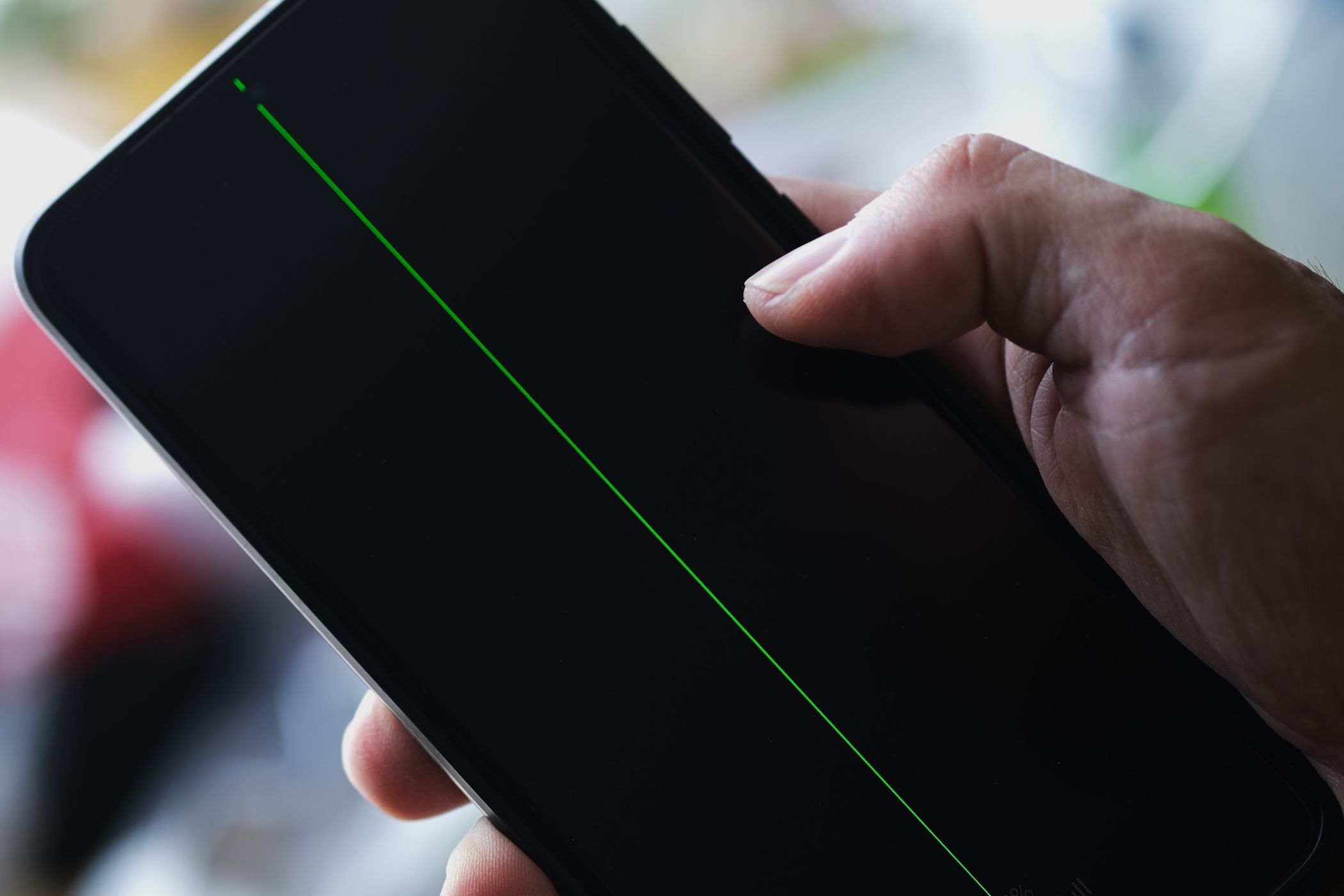
If you’ve ever had a phone suddenly develop a green line (or any other colour) across the screen, you know how frustrating it is. If you haven’t, I hope you never do. This article should help reduce the chances of you becoming either a first-time or repeat victim.
I’ve had a phone develop a green line while I was actively using it. The line just appeared. It didn’t fall, there was no cracks or warning. Just a bright green lightsaber-looking stripe cutting through my screen while I watched.
Credit: wisely / Shutterstock
That’s the thing about this issue. It doesn’t follow the rules you’d expect. You can baby your phone for months and still wake up to a line across the display. So what actually causes it? and more importantly, how can you reduce the chances of it happening to you?
What’s Actually Going On
Your phone screen is made up of millions of tiny pixels arranged in a grid. Each one is controlled by a chip that tells it what to display. On OLED and AMOLED screens (which most Android flagships and iPhones from the iPhone X onwards use), each pixel produces its own light individually. When the connection between the controller and the pixel grid breaks down, or the physical panel itself gets damaged, you get lines.
Become a Medium member
That breakdown can happen for a number of reasons:
Physical impact: We all drop our phones. You check for cracks, see nothing, and move on, but sometimes the damage is invisible to the eye. Over time, that hidden damage can surface as a line on your display.
Pressure damage: Sitting on your phone or keeping it in a tight pocket. Stuffing it in a fitted trouser pocket before hopping on an okada (bike). These things cause stress you won’t notice until it’s too late.
Overheating: This is the silent killer. If your phone regularly gets hot during use, you’re slowly damaging the organic compounds in OLED panels(the materials that make OLED pixels glow). Leaving your phone in direct sunlight, charging it while running hotspot, or gaming for long stretches while plugged in; all of these stress the display over time. It’s also important to remember most flagships are not designed with hot climates in mind, so if like me, you live in a hot place like Nigeria or India, you’re at higher risk.
Water and moisture damage: When moisture gets inside your phone, it can damage the flex cables connecting your display to the motherboard. Even phones with an IP68 rating are not fully immune, especially as the waterproof seals wear down with age.
Manufacturing defects: Less common, but very real. Some panels ship with weak points that only show up months later.
Any of these, or a combination of them, could be quietly building up damage right now. You’d have no idea until the line suddenly appears.
How to Prevent It
Use a quality case and screen protector: A good case absorbs impact force and keeps the phone from hitting hard surfaces directly. Tempered glass protectors won’t stop internal damage from a serious drop, but they distribute force across a wider area, which helps. If you’re using a brand like Nothing or Pixel where accessory options in Nigeria are limited, it’s worth ordering a proper case from AliExpress or Jumia Global and waiting for it. If your phone cost a lot, you should try not to cut corners on accessories.
Avoid pressure on your phone: Don’t put your phone in your back pocket where you might sit on it. Don’t fall asleep on it. Don’t squeeze it into tight spaces. This one is simple, but it’s the habit most people ignore.
Your phone is not thirsty: Your phone’s water resistance is not permanent. It weakens over time, especially after drops or repairs. Don’t submerge older devices, and keep all phones away from steam and prolonged contact with moisture. That risk you usually take with your phone and water? It’s probably not worth it.
Choose your repair technician carefully: If you or a technician opens your phone, make sure the display connector is fully and properly reseated before closing it up. A rushed repair job is one of the most common causes of post-repair screen issues. Ask around, check reviews. Don’t just go with whoever is cheapest at Computer Village or your local phone market.
Manage heat aggressively: Don’t leave your phone on warm surfaces or in direct sunlight. Avoid charging while using hotspot and simultaneously doing something else like gaming or a video call. Remove thick cases during sessions that generate a lot of heat, like long video recordings or graphics-heavy game. If your phone feels hot to the touch, give it a break. That warmth is doing damage you can’t see.
Buy from reputable sellers: Manufacturing defects are more common with grey-market or refurbished devices that haven’t been properly quality-checked. Stick to trusted plugs and authorized retailers, and check diligently for possible defects.
Research your model before buying: This issue is not limited to one brand, but some models are significantly more prone to it than others. Certain phone models have had widespread green line complaints. Google the model you’re considering along with “green line” before you make make your decision. Five minutes of research can save you a repair bill.
Long Story Short
A screen replacement in Nigeria can cost a lot depending on your device. The worst part is that this issue often comes back even after a repair, especially if the root cause was heat or pressure damage and you’re unknowingly repeating the same pattern.
You can’t guarantee it will never happen. But you can tilt the odds in your favour by treating your phone like the investment it is, especially if it was very expensive.